A Wi-Fi QR code is not a link. It contains a short configuration string that phones recognise as a network credential, so scanning it opens the "join this network" prompt with the SSID and password already filled in. That is all it does — there is no magic, and nothing is checked against a server.
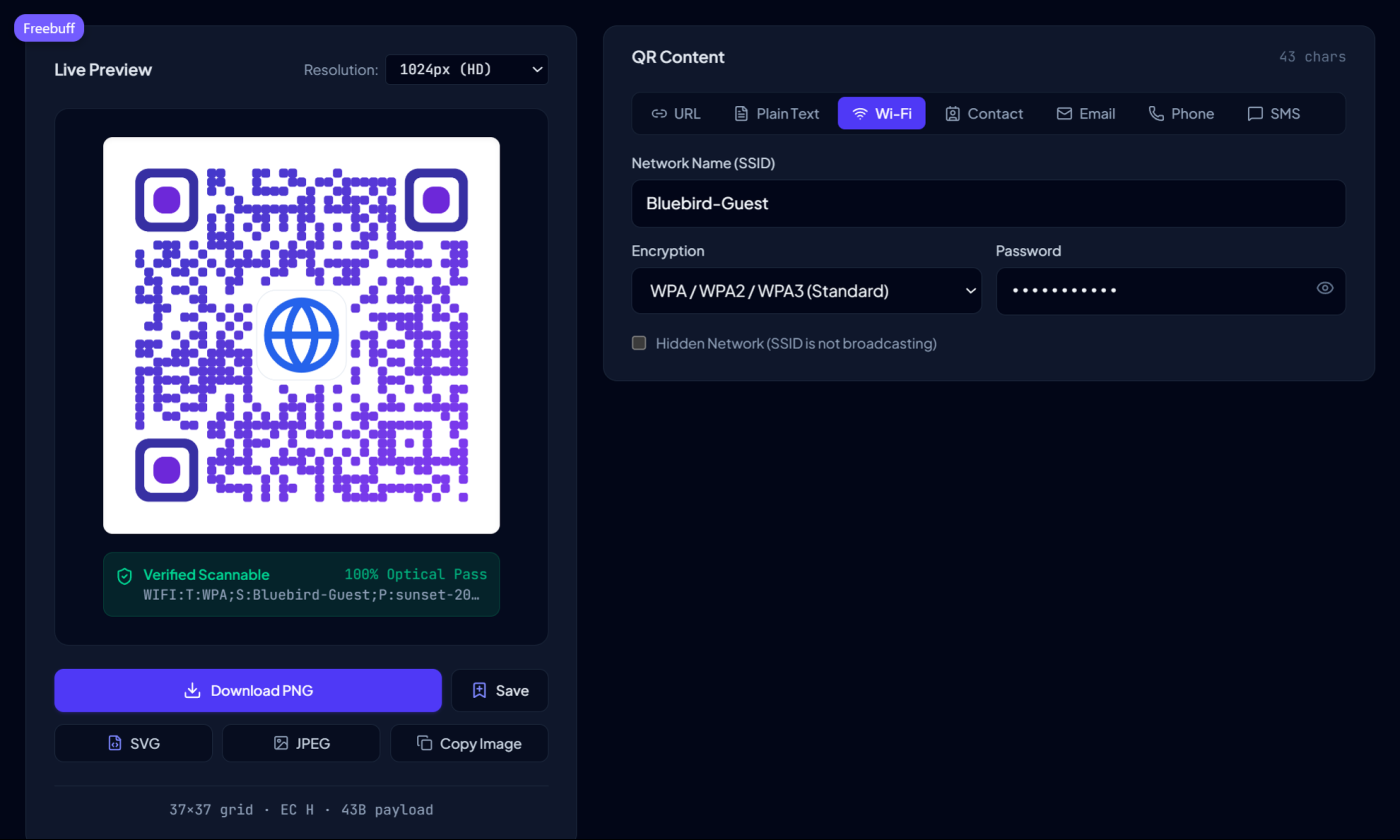
The payload
The format is a semicolon-delimited string:
WIFI:T:WPA;S:MyNetwork;P:my password;H:false;;T— the security type:WPA(covers WPA, WPA2 and WPA3),WEP, ornopassfor an open network.S— the SSID, exactly as broadcast, including capitals and spaces.P— the password. Omit it entirely fornopass.H—truewhen the network does not broadcast its SSID. Optional, and poorly supported by some scanners.- Two semicolons terminate the string.
Escaping is where these break
The format has no length prefixes, so it relies on delimiters — which means a password containing a delimiter must escape it with a backslash. These four characters need escaping in the SSID or password:
\ ; , "
A password of coffee;tea must be encoded as
coffee\;tea. Get this wrong and the phone joins with a truncated
password, which fails in the most frustrating way possible: the prompt appears,
the join fails, and nothing explains why.
This generator escapes those characters for you when you type in the Wi-Fi tab, and it unescapes them again when you scan a code back into the editor, so round-tripping a real network credential does not corrupt it.
What each platform does
On iOS, the camera app shows a "Join Network" banner and adds the network without leaving the camera. On Android, the same string opens a network suggestion sheet or the Wi-Fi settings dialog depending on the version and the vendor's skin. In both cases the user still has to confirm — a code cannot join a network silently, which is the right behaviour but surprises people who expect a single tap.
Enterprise networks (WPA2-Enterprise, 802.1X) are not expressible in this format: there is nowhere to put a username or an EAP method. Guest networks with a captive portal are also a poor fit — the code joins the network, then the user still has to log in through a web page, which no QR code can do for them.
The security trade-off, stated plainly
A static code cannot be revoked. Print the Wi-Fi password on a table tent and it is public forever: anyone who has seen the code has the password, whether or not they ever scanned it while they were in the building. If that matters, the options are a guest network with a password you are willing to rotate — and reprint the codes when you do — or a captive portal, which the code cannot automate.
Two practical mitigations: use a separate SSID for guests so rotating the password does not disturb staff devices, and keep the guest network isolated from internal systems at the router, not just at the password.
Sizing and placement
A Wi-Fi payload is short, so the symbol stays sparse and scans easily even when small. A 2–3 cm code is right for a table tent read at arm's length, and it prints cleanly at that size because there are few modules to resolve. Avoid laminating over the code if you can: the highlight from a glossy surface is the most common reason a table code fails in a dim restaurant. The print guide has the sizing rules in full.
Troubleshooting
- Prompt appears, join fails — almost always an escaping problem or a wrong security type. Re-enter the password with the escaping handled for you.
- Nothing happens when scanned — some in-app scanners only treat
httpURLs as actionable. Ask the user to scan with the system camera app. - Works for some phones, not others — hidden networks (
H:true) are the usual culprit; broadcast the SSID if you can. - Network joined, internet unavailable — the code carries credentials only; if the router requires a portal login, that happens afterwards.
Make one in the generator — the Wi-Fi tab formats and escapes the payload as you type — and check the scannability guide before you print a batch. All guides are listed in the guides index.